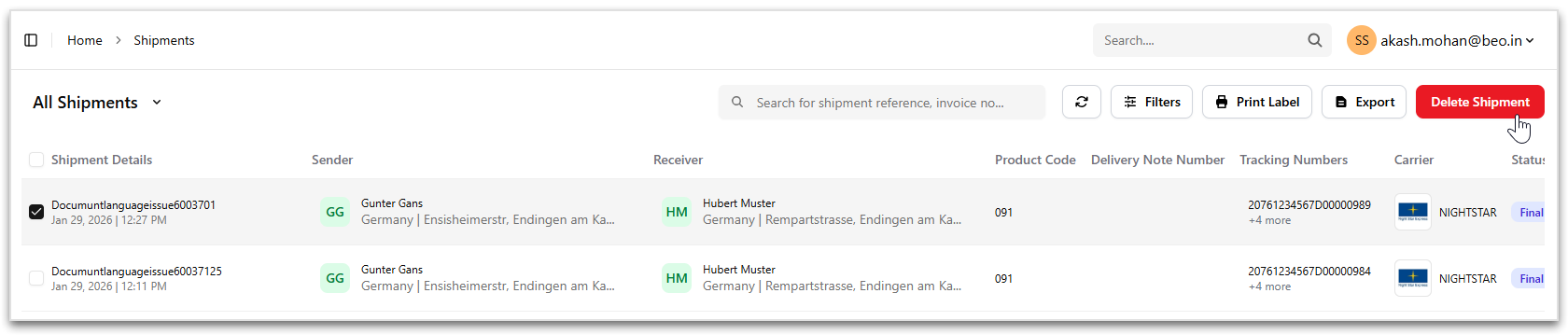
Delete Shipment
Overview
Shipments that are not required can be deleted directly from the Shipments page. Deleting a shipment permanently removes it from the system.
Important
Only shipments that are eligible for deletion (for example, non-finalized shipments) can be deleted. Shipments already moved to the Final List cannot be deleted!
Access Method
To delete one or more shipments:
- Navigate to Shipment Management > Shipments.
-
Select a shipment by:
- Checking the checkbox at the beginning of the shipment row, or
- Checking the checkbox at the column heading Shipment Details.
- Click Delete Shipment from the header actions.
-
In the confirmation dialog:
- Click Ok to confirm and delete the selected shipment(s).
- Click Cancel to cancel the action.