Final List
Overview
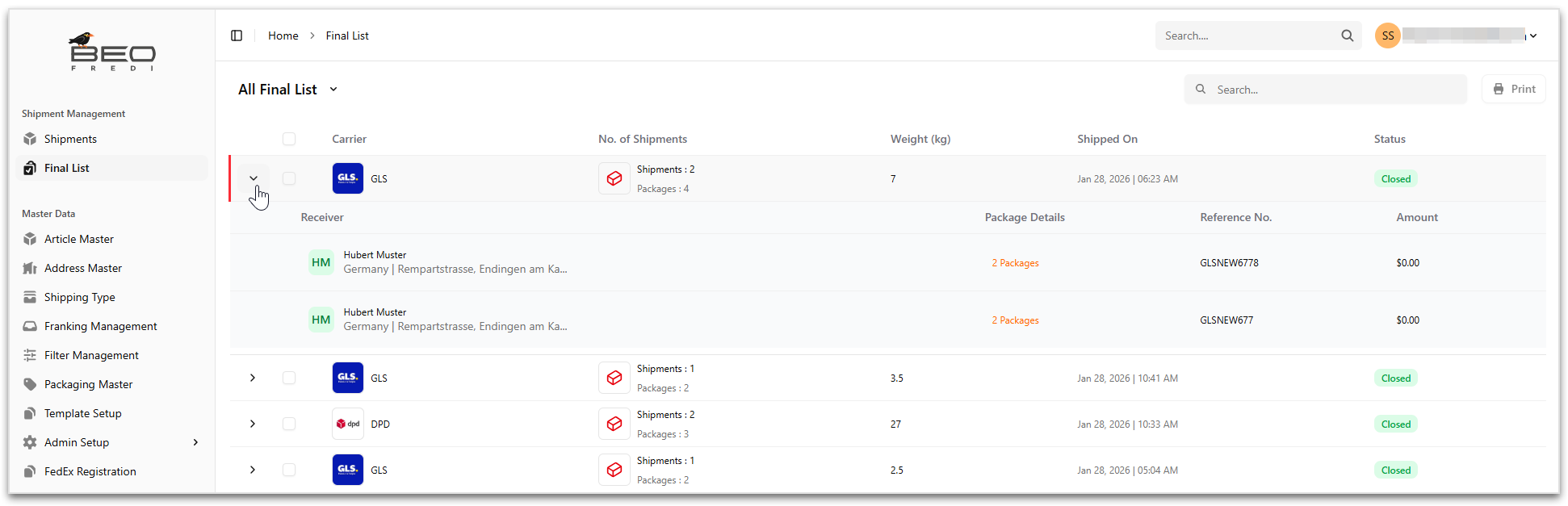
The Final List displays a consolidated list of finalized shipments that are ready for processing, such as pickup, or dispatch. Shipments shown here represent the final, confirmed state and are typically no longer editable.
The Final List helps operations and warehouse users verify shipment details, group shipments by carrier, and perform last-mile actions before physical shipment execution.
Accessing Method
To open the Final List:
- Navigate to Shipment Management > Final List.
- The All Final List page opens, displaying finalized shipment entries.
Final List Page Layout
The Final List page presents shipments in a carrier-grouped, expandable table view.
Available Actions
| Action | Description |
|---|---|
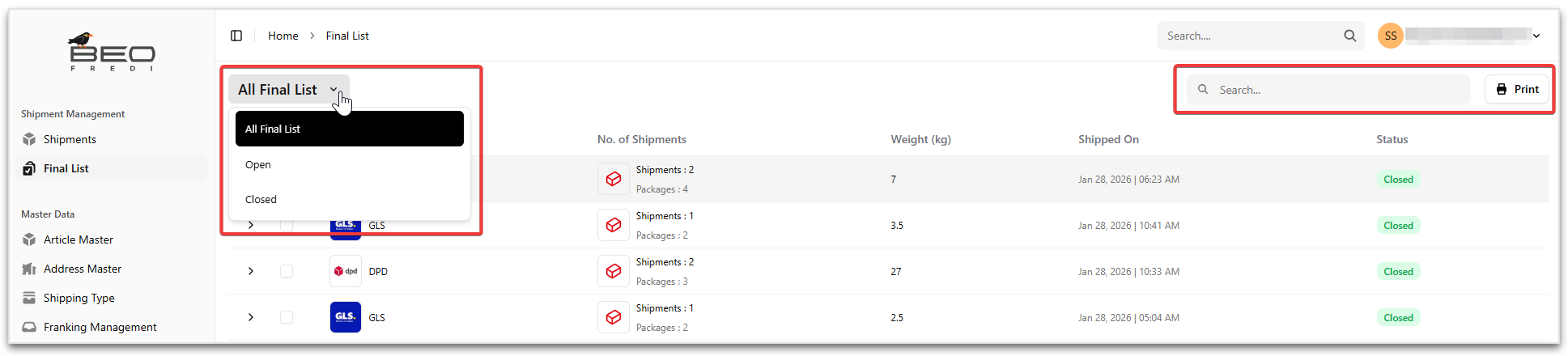
| Search | Search finalized shipments using carrier name or reference number. |
| Print shipment document (details of packages in the shipment) for selected final list entries. | |
| Final List Selector | Switch between different final list views: All Final List, Open, Closed. |
Note
- Open are the shipments for which label is not printed!
- Closed are the shipments for which the label is printed atleast once!
Expanding a Final List Entry
To expand a row:
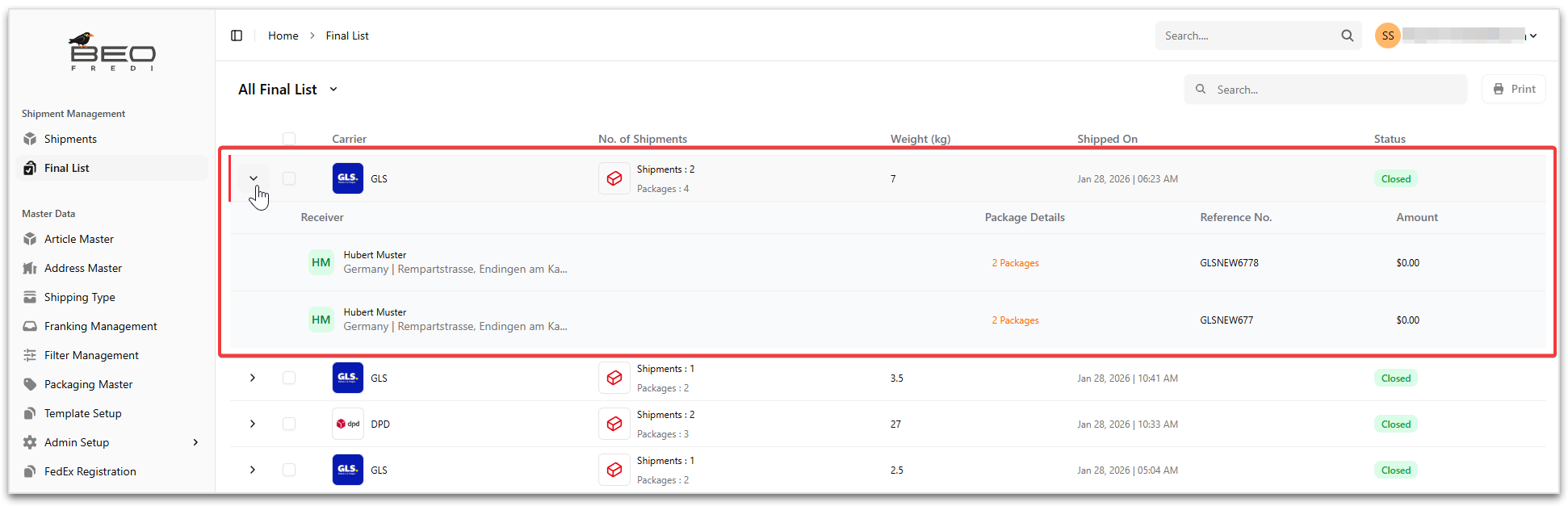
- Click the expand arrow ( > ) next to a row to view shipment-level details.
When expanded, the following information is displayed:
| Field | Description |
|---|---|
| Receiver | Displays the receiver name and delivery address. |
| Package Details | Shows the number of packages associated with the shipment. |
| Reference No. | Displays the shipment reference or carrier reference number. |
| Amount | Displays the shipment amount, if applicable. |
Note
Each shipment within the final list entry is shown as a separate row under the selected carrier group!
Final List Status
| Status | Description |
|---|---|
| Open | The shipment group has been created and finalized, but no label is printed. |
| Closed | The shipment group has been finalized and is ready for pickup or dispatch. No further modifications are allowed. |
Best Practices
- Review package count and total weight before dispatch
- Ensure all required labels are printed before handover
- Use the Final List during loading and pickup verification
- Keep the Final List as a reference for reconciliation and reporting